Hunt Groups
Included with Pro Upgrade
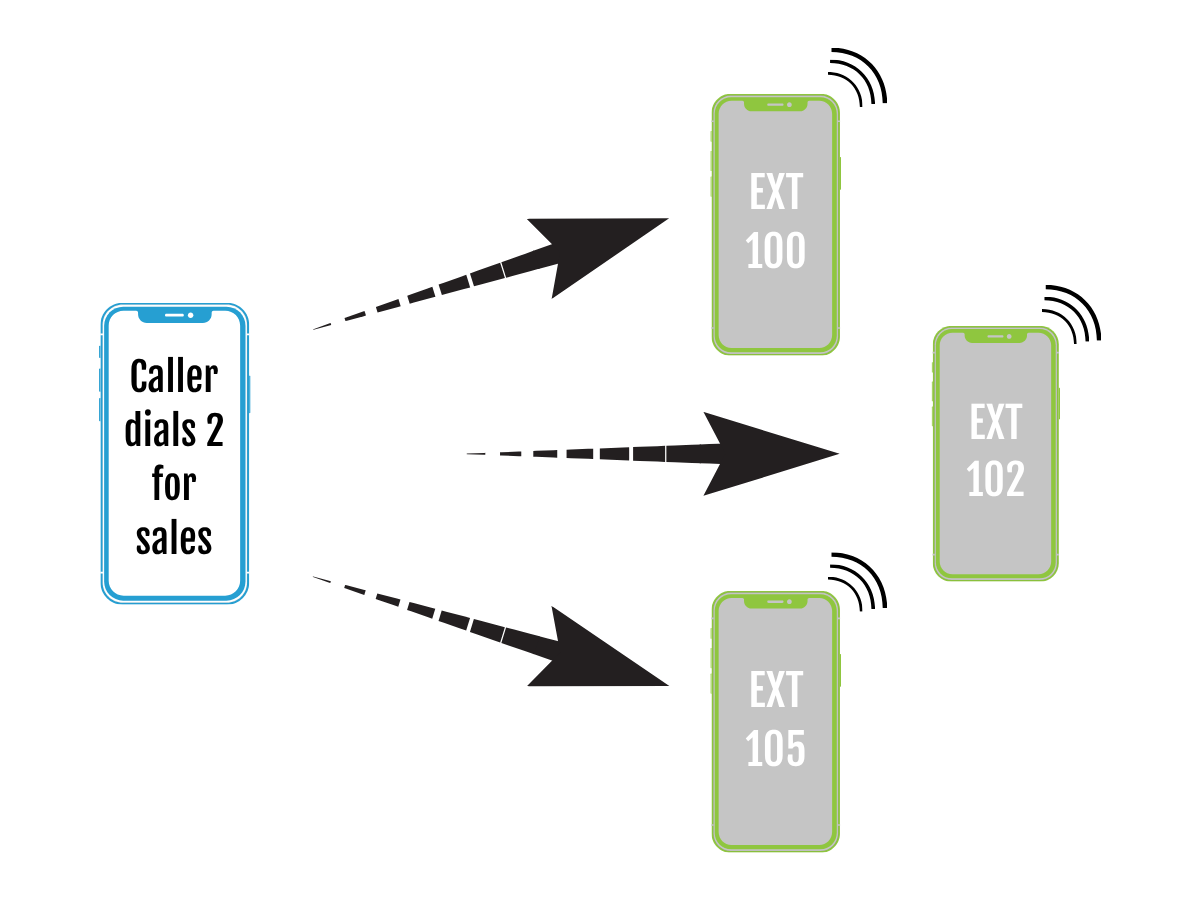
Hunt Groups are used when you need multiple extensions to ring together. There are two types of hunt groups:
- Simultaneous (extensions ring at the same time)
- Sequential (extensions ring one after another)
Example: A hunt group includes extensions 100, 102, and 105. The hunt group is set for caller option #2. When a caller presses 3 on their keypad…
- A simultaneous hunt group would ring 100, 102, and 105 at the same time
- A sequential hunt group would ring 100, then if no answer it would ring 102, then if no answer it would ring 105
Creating a Hunt Group
Steps:
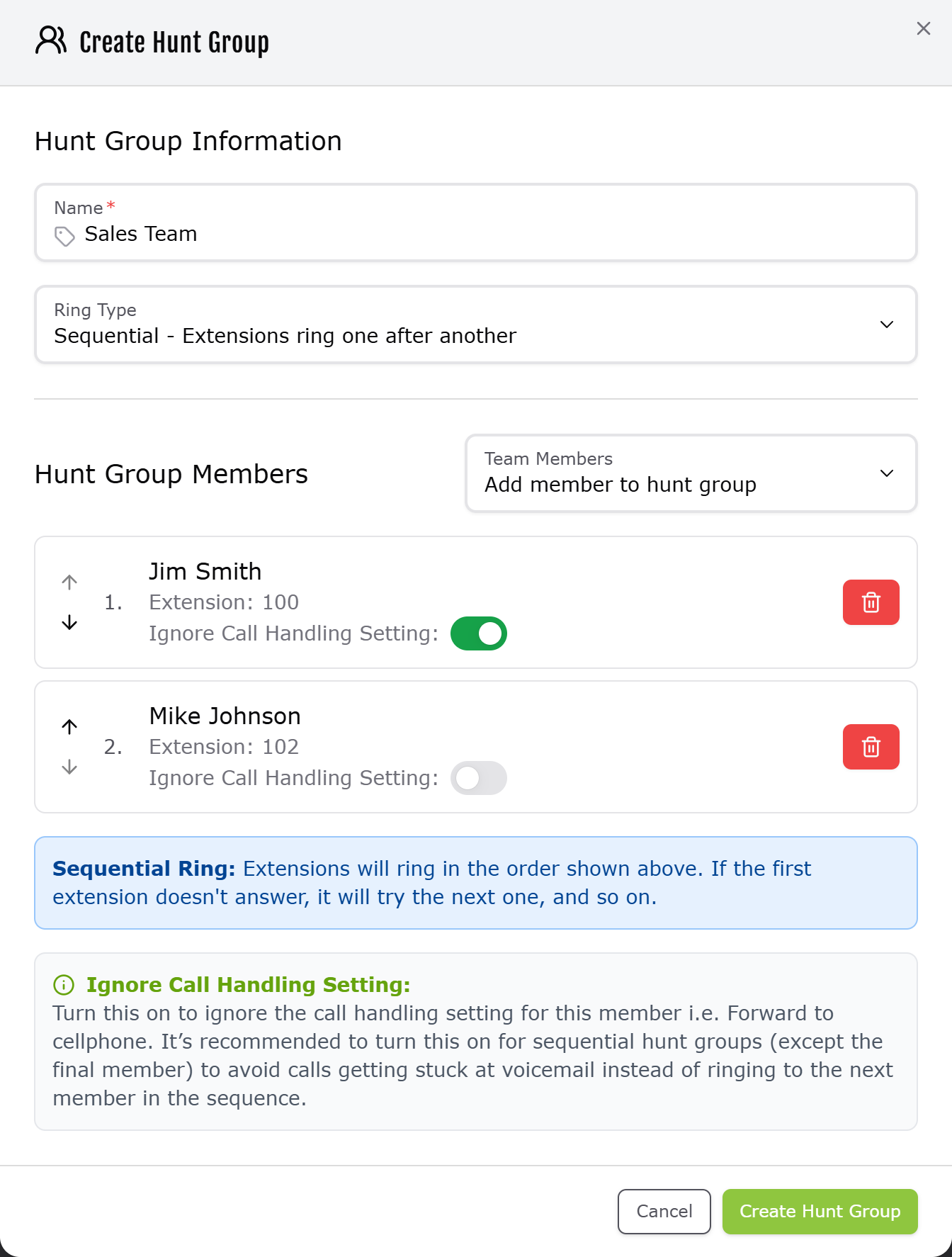
- Under the Caller Options tab, you’ll find the Hunt Groups section at the bottom of the page. Click “Add Hunt Group”.
- Name your hunt group, select the ring type, and add your members.
- Click “Create Hunt Group”
- Assign your new hunt group in the Keypad Routing section
Restrictions:
- You can only use each extension once in a sequential hunt group. For example: 101 > 102 > 101 is not possible.
- A hunt group must be assigned to a caller option in order to be reachable. Hunt groups cannot be directly dialed / assigned a 3-digit extension.