
Member Extensions
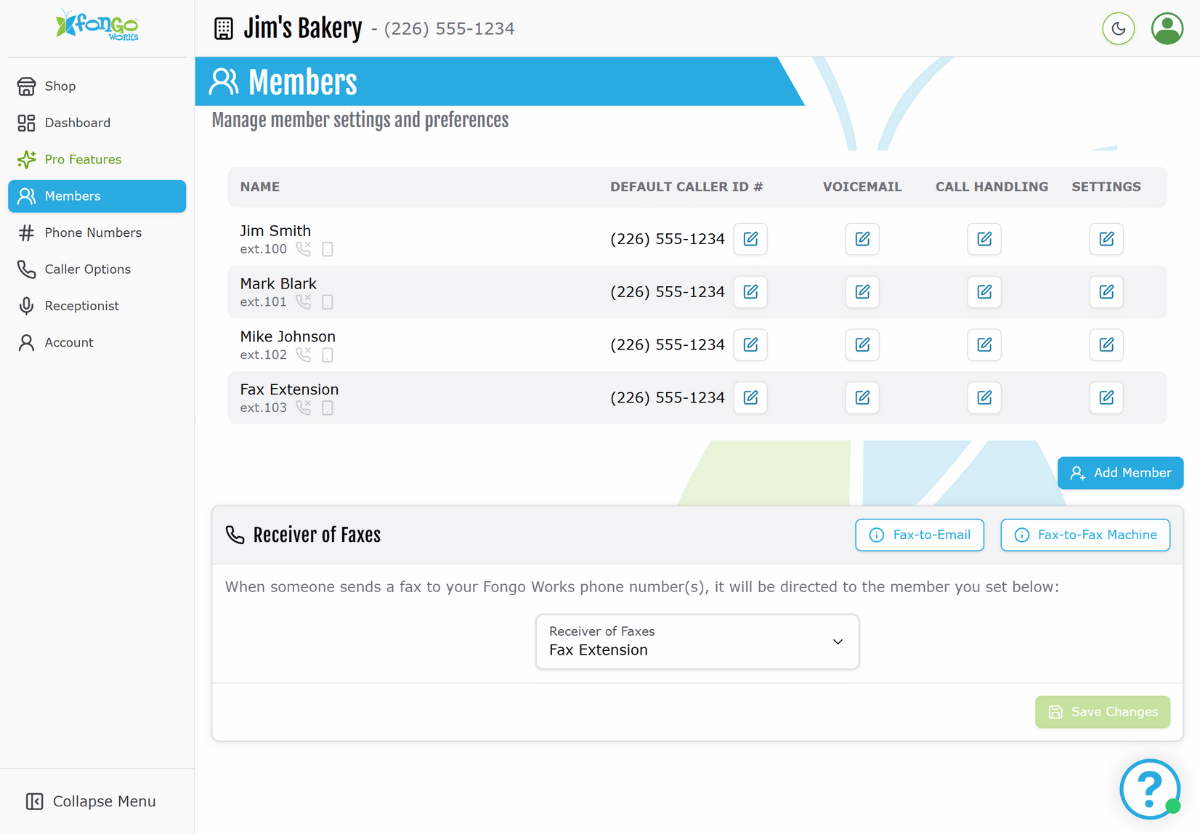
With Fongo Works, you can create members (also known as extensions) for various departments or employees within your business.
Each member contains their name, cell phone forwarding number and email address. They are also assigned a 3-digit extension number, which can be directly dialed from the receptionist menu.
Up to 6 Extensions
Included with Free Signup
You are limited to 6 members when using the Free version of Fongo Works.
Up to 15 Extensions
Included with Pro Upgrade
Upgrade to Fongo Works Pro to add up to 15 members. Need more than 15? Contact our support team after you’ve reached the limit.
Members vs. Extensions
What’s the difference?
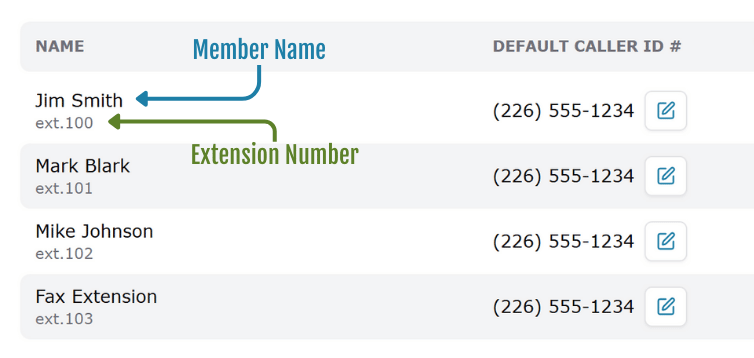
When you sign in to your Fongo Works online dashboard, you are shown all of your members. Each member is assigned their own 3-digit extension number.
When someone calls your business and is listening to your automated receptionist greeting, they can reach each member by dialing “#” followed by their 3-digit extension number.
Example: #101 would reach the member who has extension 101.
Custom Extension Numbers
Included with Pro Upgrade
Unlock the ability to customize the 3-digit extension number for each member.
Restricted numbers: starts with 8 or ends with 11
Creating a New Member
- Click on the Members tab
- Click Add Member
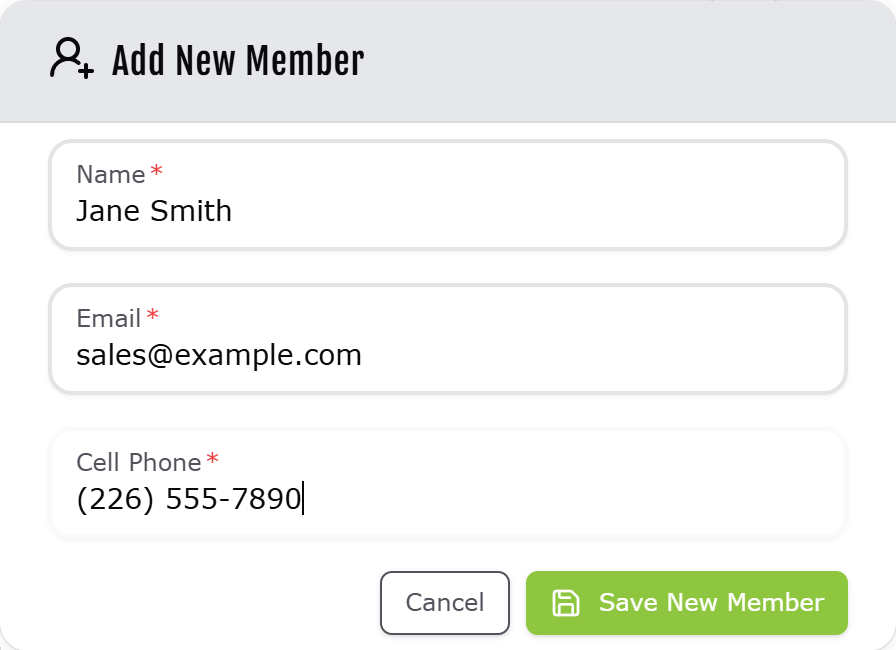
- Enter the name, cell phone number, and email address of the new member
Notes:
- The cell phone number is used for call-forwarding purposes. If you don’t plan on using the call-forwarding feature, you can add a placeholder phone number (such as 222-222-2222).
- Voicemail messages will be sent to the email address provided.
Member Management
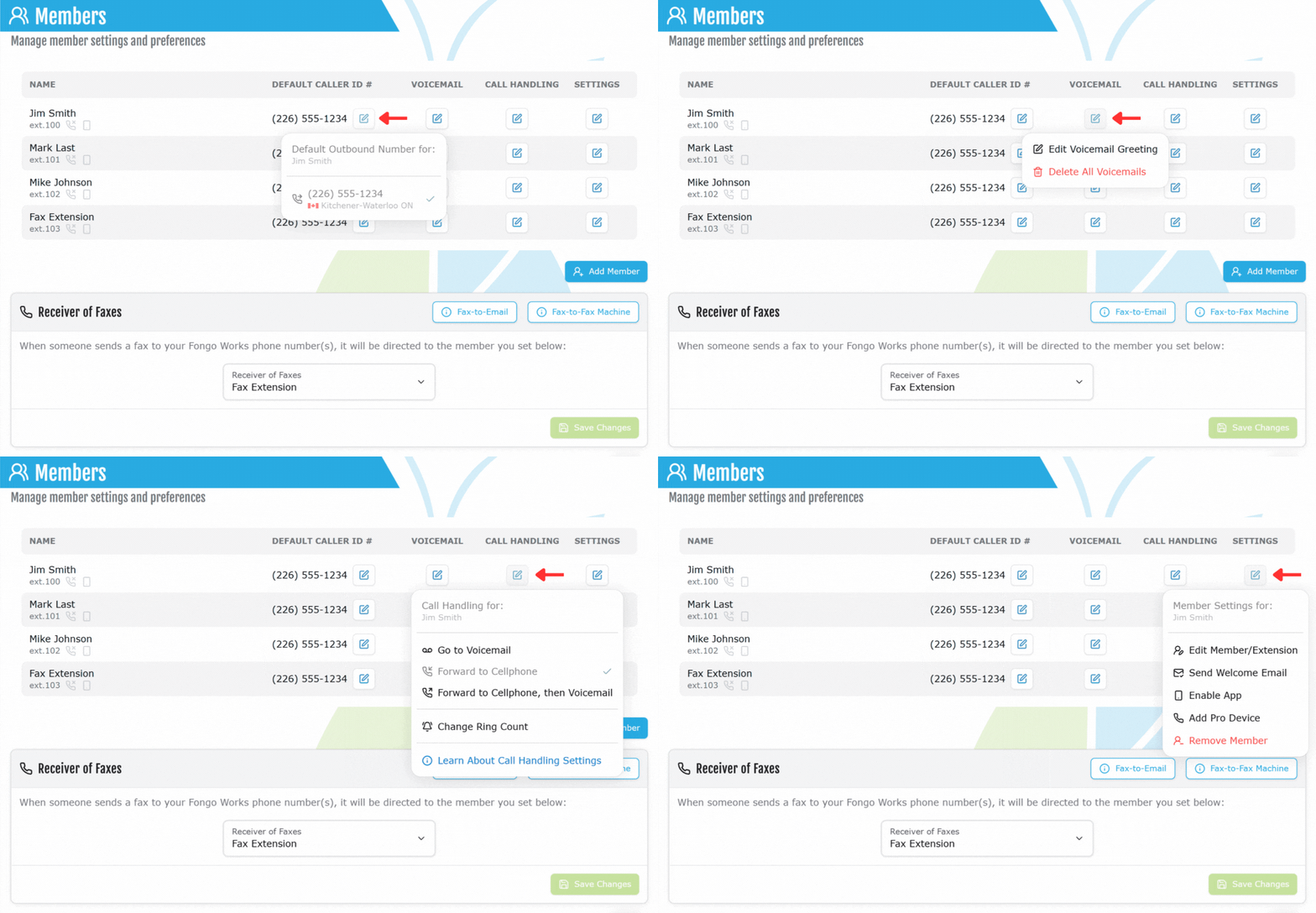
Preferences
Default Caller ID – If you have multiple phone numbers in your Fongo Works system, you can change the phone number that this extension will use for outbound calls.
Voicemail – Edit the voicemail greeting or delete all voicemails currently saved in your voicemail box. Learn more.
Call Handling – Call handling is a setting that adjusts what happens when calls come to your extension. Learn more.
Additional Options
Edit Member – Change the name, email, cell phone, or extension number.
Send Welcome Email – Send an introductory email to your new member.
Enable Fongo Works App – This will send a text and email to the member with access credentials for the Fongo Works App.
Add / Remove Pro Device – Assign a Pro Device (purchased in the shop) to this extension. If you already have a Pro Device assigned to this member, you can unassign it here and re-assign it to a different member.
